
An ownership group defines a distinct billing entity on your account. Despite the name, ownership groups aren't only for tracking property owners. They're commonly used to split invoices by region, business unit, or any grouping your organization bills separately. Ownership groups can also be used as a filter when generating reports.
Note: If a property isn't assigned to any ownership group, its charges default to your Company Billing Profile.
Create a new ownership group
-
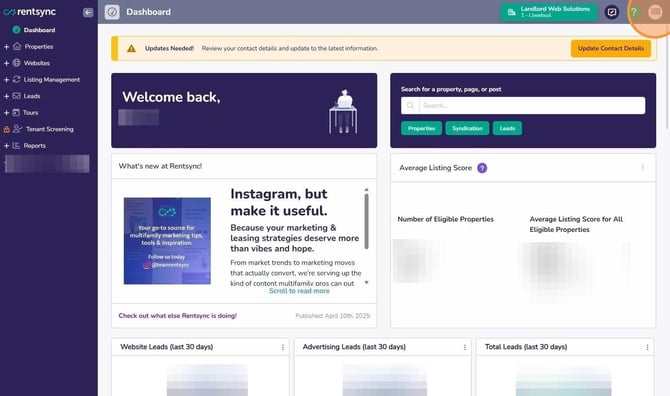
Click your initials in the top right corner.
-
-
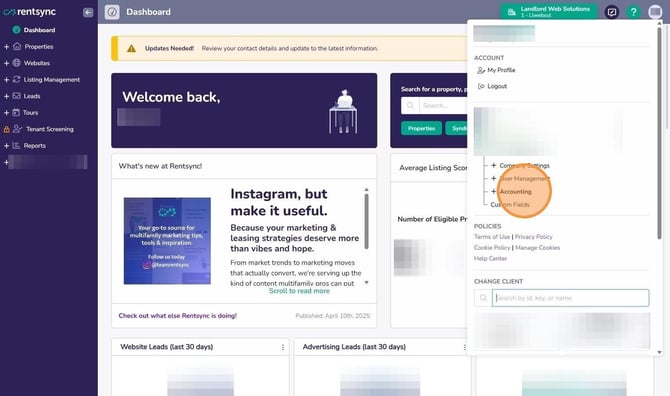
Click Accounting.
-
-
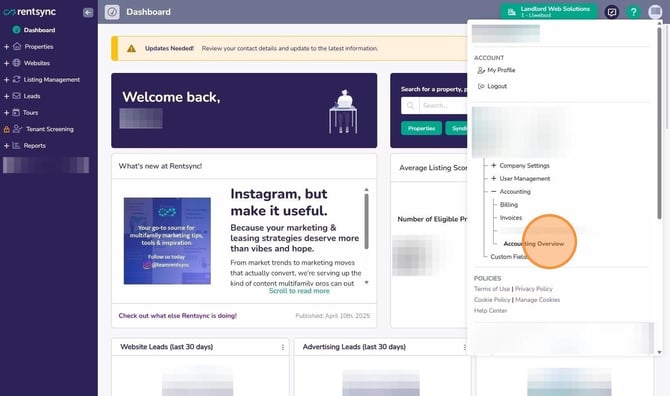
Click Accounting Overview.
-
-
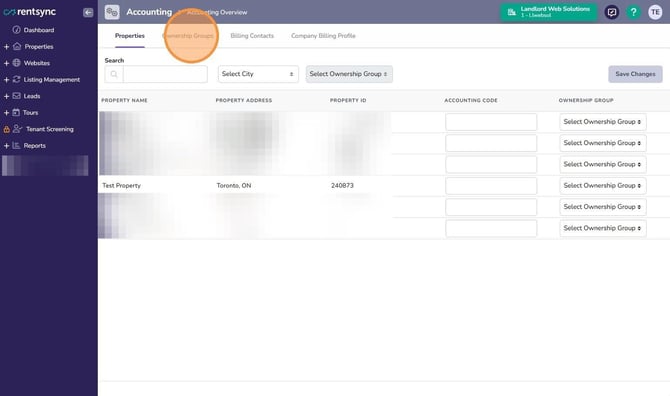
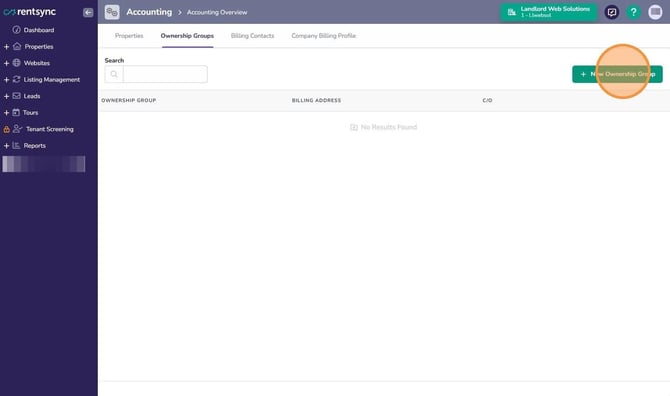
Click Ownership Groups.
-
-
Click New Ownership Group.
-
-
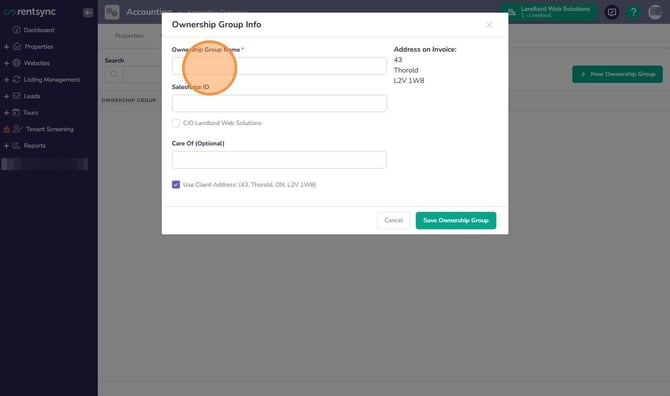
In the Ownership Group Name field, enter the name you want to appear on the invoice.
-
-
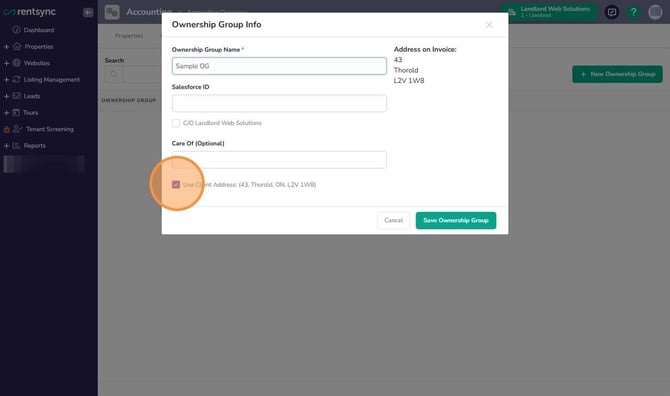
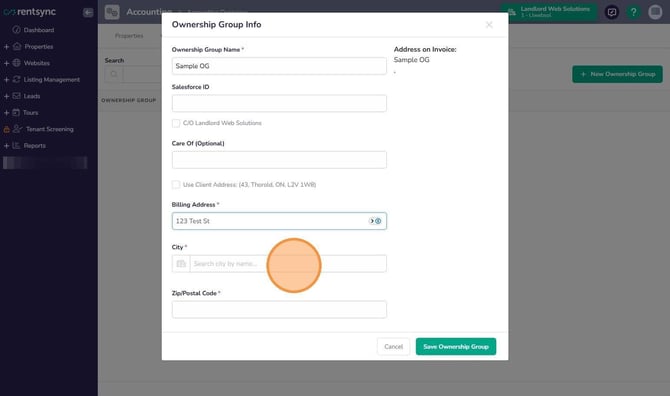
If the billing address is different from the address in your Company Billing Profile, uncheck the box that uses the company address.
-
-
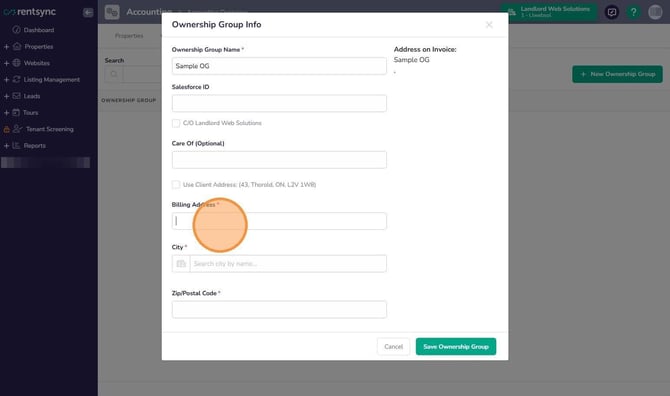
Enter the billing street address.
-
-
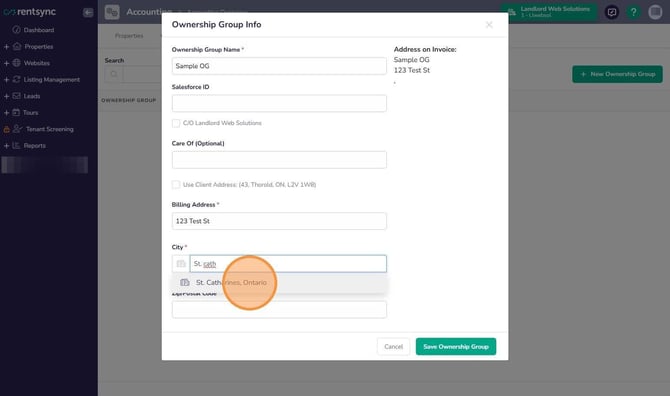
Click the city search field and enter the first few letters of the city name.
-
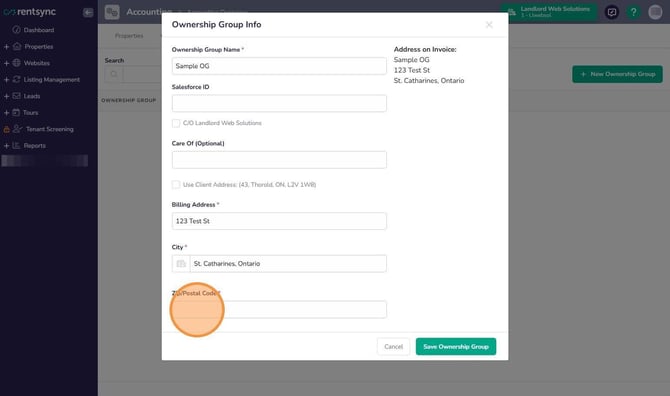
- When the city list appears, click the correct city and province.
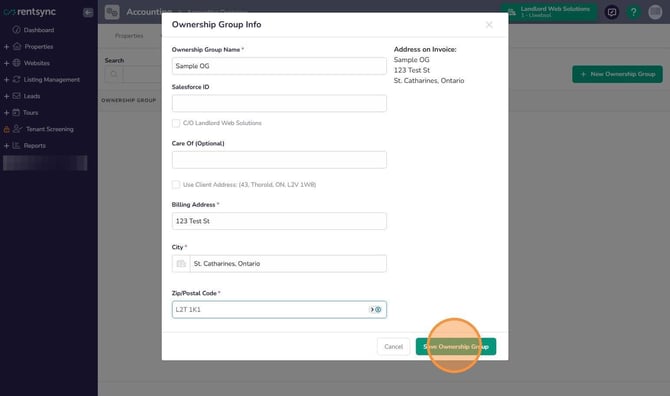
- Enter the postal code.
- Click Save Ownership Group.
Note: Once assigned to a property, the ownership group name replaces your Company Billing Profile name in the invoice header.
Add a “Care Of” name to an ownership group
On the ownership group's setup screen, either check the box to use the client's address, or type a name directly into the Care Of field. Both methods produce the same result: the name appears as “Care of [name]” on the invoice address block.
Assign an ownership group to a property
-
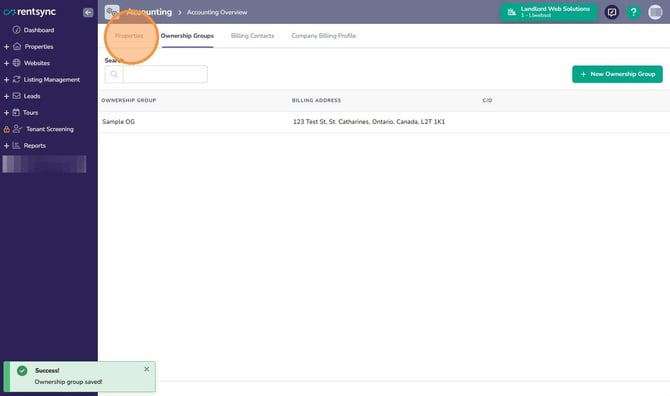
Click Properties.
-
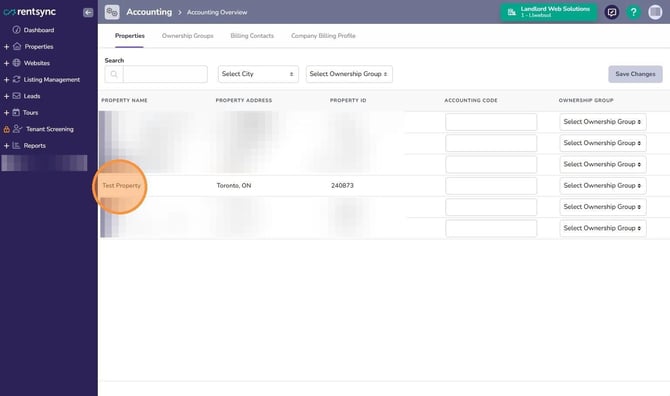
Locate the property you want to assign.
-
-
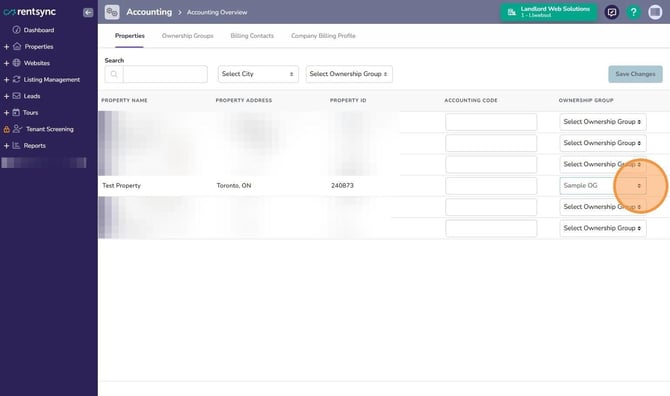
Select the ownership group from the dropdown.
-
-
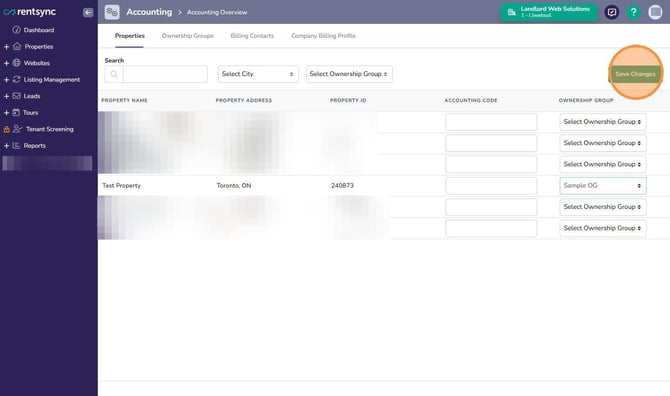
Click Save Changes.
-
Tip: You can also create a new ownership group directly from a property. Open the property, scroll to the Accounting tab, and click the “+” to create one. This creates the ownership group name only; you'll need to return to Accounting Overview to set the billing address and other details.
Note`: Splitting invoices by ownership group is not automatic. Contact billing@rentsync.com to have invoice splitting turned on for your account.